Step 1: Pick an image to convert
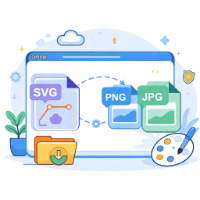
Supports common formats such as JPG, PNG, WebP, GIF and SVG. SVG files will be rasterized to a bitmap before conversion.
🖼️
Drag an image here or click to select
Supports JPG, PNG, WebP, GIF, SVG and more. For stability, images larger than 30MB are not recommended.
Usage & Guide
- Select Image: Click to upload or drag an image (JPG/PNG/WebP/GIF/SVG).
- Choose Format: Select the target format from the toolbar (JPG, PNG, WebP, etc.).
- Convert & Download: Click "Convert", preview the result, then click "Download" to save.
Conversion Tips
- Format Features: JPG is great for photos (no transparency); PNG supports transparency; WebP offers good balance; ICO is for favicons; BMP is uncompressed.
- Quality Note: The tool aims to preserve quality, but converting from lossless (PNG) to lossy (JPG) formats may introduce slight differences.
- Privacy First: All conversions happen locally in your browser. Your files are never uploaded to any server.